
How to use Apple Pay
Using your Chase card with Apple Pay
Data security questions
Lost or stolen card/phone
How to use Apple Pay™
What is Apple Pay?
Apple Pay is a payments feature integrated into the Wallet® app on your iOS device that lets you add your credit, debit and/or Chase Liquid® cards to Apple Pay to make purchases at participating retailers in stores, using Near Field Communication (NFC) technology, or in app.
How does Apple Pay work?
To add your eligible Chase credit, debit and/or Chase Liquid® cards to Apple Pay, follow the Apple Pay instructionsOpens overlay. Apple Pay provides the same benefits and protection as your physical card, with the convenience of making secure transactions on your iOS device. Use Apple Pay anywhere contactless payments are accepted and to make purchases in app with participating apps. For additional details, see the Apple Pay instructionsOpens overlay
Which of my devices are compatible with Apple Pay?
You can use Apple Pay in stores on your iPhone X, iPhone 8, iPhone 8 Plus, iPhone® 7, iPhone® 7 Plus, iPhone® 6, iPhone® 6S, iPhone® 6 Plus, iPhone® 6S Plus, and Apple Watch™ with compatible iPhone 5 or later & Apple Watch Series 3, 2 & 1. Apple Pay can also be used in-app with your iPhone X, iPhone 8, iPhone 8 Plus, iPhone® 7, iPhone® 7 Plus, iPhone® 6, iPhone® 6S, iPhone® 6 Plus, iPhone® 6S Plus, iPad Air™ 2, iPad Pro, iPad mini 3, iPad mini™ 4, Apple Watch™ with compatible iPhone 5 or later and Apple Watch Series 3, 2 & 1. You can use also use Apple Pay on the web in Safari with MacBook Pro with Touch ID and Mac Model introduced in 2012 or later with Apple Pay-enabled iPhone or Apple Watch.
How do I get Apple Pay on my device?
Apple Pay is integrated into the Wallet app, which comes pre-installed on your eligible iPhone X, iPhone 8, iPhone 8 Plus, iPhone® 7, iPhone® 7 Plus, iPhone® 6, iPhone® 6S, iPhone® 6 Plus, iPhone® 6S Plus, iPad Air® 2, iPad Pro®, iPad mini® 3, and iPad mini® 4. You will be given an opportunity to configure Apple Pay upon setup of your new device. If you already have established an iTunes® account, the credit card that is on file will be made available to you to immediately upon Apple Pay setup. You will have the ability to add additional eligible Chase credit, debit and/or Chase Liquid cards by using the iSight® camera to instantly capture your card details or by entering them manually. Please note, Apple Pay on the Apple Watch won't be set up through Wallet. You can load your Chase cards to the Apple Watch app on the paired iPhone. An alert will be displayed on the watch upon card activation.
How do I pay using Apple Pay?
In-Store Purchase
To make an in-store purchase with your iPhone X , iPhone 8, iPhone 8 Plus iPhone® 7, iPhone® 7 Plus, iPhone® 6, iPhone® 6S, iPhone® 6 Plus, or iPhone® 6S Plus, just hold your device near the contactless reader with your finger while holding down Touch ID™. A subtle vibration and beep will confirm the transaction is complete. To make an in-store purchases with your iPhone X, double –tap the side button, then glance at iPhone X to authenticate with Face ID or enter your passcode. Hold the top of iPhone X within a few centimeters of the contactless reader until you see done and checkmark on the display. To make an in-store purchase with your Apple Watch, double-tap the side button and hold the face of your device near the contactless reader. A gentle pulse and tone confirm that the transaction is complete.
In-App Purchase
To make a purchase in-app with your iPhone X, iPhone 8, iPhone 8 Plus, iPhone® 7, iPhone® 7 Plus, iPhone 6, iPhone 6S, iPhone 6 Plus, iPhone 6S Plus, iPad Air 2, iPad Pro, iPad mini 3, or iPad mini 4 & Apple Watch, Tap the buy with Apple or Apple Pay Button or Choose Apple Pay as your payment method. To authenticate the Apple Payment, you will do the following below:
- iPhone X: Double tap the side button then use face id or your passcode.
- iPhone 8 or earlier or iPad: Use touch id or your passcode.
- Apple Watch: Double tap side button.
- MacBook Pro with touch ID: Use touch id. If touch ID is off, tap the Apple Pay icon on the touch bar and follow the prompts on the screen.
Is there a fee associated with using a Chase card with Apple Pay?
There is no cost for Apple Pay from Chase; however, an active data plan is required. Based on your wireless plan and mobile carrier's offering, additional message and data charges may apply. Your credit card terms and conditions, your debit card Deposit Account Agreement or your Chase Liquid agreement will apply for purchases. Chase doesn't charge any fees to add your credit, debit and/or Chase Liquid cards to Apple Pay.
Can I use Apple Pay outside of the United States?
As long as you're shopping at a participating retailer, Apple Pay will work outside of the U.S. Based on your wireless plan and mobile carrier's offering, additional message data charges and foreign transaction fees may apply.
Can an Apple Pay token be used for recurring charges, subscriptions or bills (Netflix, Amazon Prime, etc.)?
This service isn't currently available.
What is Near Field Communication (NFC) technology?
Near Field Communication (NFC) is a short-range wireless technology that allows two devices to exchange payment information quickly and conveniently at close proximity. Apple Pay uses NFC technology to transmit payment information from your phone to the contactless payment terminal.
Using your Chase card with Apple Pay
Which Chase cards can I add to Apple Pay?
Many Visa® Chase credit, debit and Chase Liquid cards work with Apple Pay. Follow the Apple Pay instructionsOpens overlay to add your card. Call the number on the back of your card to see if it is eligible for Apple Pay or check eligible cards.
How do my Chase credit, debit and/or Chase Liquid cards work with Apple Pay?
When you add your Chase credit, debit and/or Chase Liquid cards to Apple Pay, the number from your plastic credit, debit or Chase Liquid card is replaced with a secure device account number (also called a token). This token is passed onto the merchant for payment instead of your actual card number.
How do I know which card is my default card?
If you load your card to Apple Pay from your iTunes account, this automatically becomes your default card; otherwise the first card you add automatically becomes your default payment card. To change your default card, go to Settings on your device, then select Wallet & Apple Pay and you may then choose your default card. You can also go to Wallet anytime to pay with a different card.
Can I add my card to multiple Apple Pay wallets?
You can add your card to multiple Apple Pay wallets. However, for security purposes, your activation code will always be sent to the primary cardholder.
How do I remove my card from Apple Pay?
You can remove your debit, credit or Chase Liquid card from Apple Pay by selecting the card in Wallet, then choose the ‘info’ icon in the bottom right corner to see the back of the card. Scroll to the bottom to find the “remove card” option. Choosing this will instantly remove the card from Wallet and the Secure Element where the device account number is securely stored on the device.
Can I have more than one Chase card in Apple Pay?
Up to 8 eligible credit, debit and/or Chase Liquid cards can be loaded to Wallet for use with Apple Pay.
Can I have my card on more than one device?
You can add multiple Chase credit, debit and/or Chase Liquid cards to Wallet for use with Apple Pay on multiple devices.
If I have a credit card with a chip/signature, will it work with Apple Pay?
Apple Pay works with chip and signature cards.
Can I add the same Chase cards that I have in my other digital wallets (Visa Checkout, Google, Loop, etc.) to Apple Pay?
You can add any eligible Chase credit, debit and Chase Liquid card to Wallet for use with Apple Pay, including cards that you may have already loaded into other digital wallets.
Where can I use Apple Pay?
Apple Pay is available for payment in stores and in applications.
In Stores
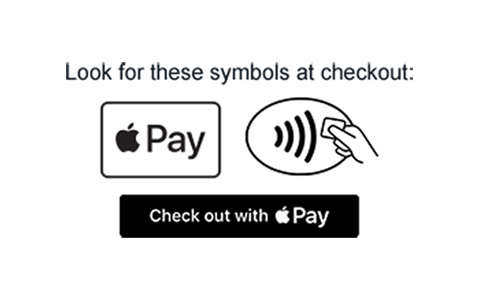
Apple Pay is available in stores that accept contactless payments. See participating retailersOpens overlay or look for either of these icons at checkout:
In-App Purchase
You can also make purchases through participating applications on your device. See featured Apple Pay appsOpens overlay.
Is there a fee associated with using a Chase card with Apple Pay?
There is no cost for Apple Pay from Chase; however, an active data plan is required. Based on your wireless plan and mobile carrier's offering, additional message and data charges may apply. Your credit card terms and conditions, your debit card Deposit Account Agreement or your Chase Liquid agreement will apply for purchases. Chase doesn't charge any fees to add your credit, debit and/or Chase Liquid cards to Apple Pay.
Data security questions
Can I lock Apple Pay?
Apple Pay is locked when the device is locked. A device passcode or Touch ID is required per transaction in order to use Apple Pay.
What is the Secure Element?
The Secure Element is a dedicated chip in the device that securely stores the device account number.
What is a device account number (token)?
A device account number (token) is a substitute account number that replaces your card number and is used to make secure purchases in stores and in app. A device account number won't work outside of the secure payment environment.
Am I liable for unauthorized charges made with Apple Pay?
Purchases made with your Chase credit, debit and/or Chase Liquid cards have Chase Zero Liability Protection for any unauthorized card transactions. This means that you won't pay for any unauthorized transactions as long as they are reported promptly. Certain limitations apply. Please see your cardholder agreement for complete details.
Lost or stolen card/phone, new cards and making returns
What if my card is lost or stolen?
Separate contact information exists for Credit Card and Personal Banking accounts.
- Credit Card: If your card has been lost, stolen or damaged, call us immediately at 1-800-432- 3117. Go to chase.com/customerservice for call center hours.
- Personal Banking: If your card has been lost, stolen or damaged, call us immediately at 1-800- 935-9935. Go to chase.com/customerservice for call center hours.
To request a replacement card, choose Replace card and follow the instructions.
We'll send you a replacement card that will arrive within 3-5 days. If you ordered your card more than 5 days ago, please call us using the number on your statement. We accept operator relay calls.
What should I do about Apple Pay if my card is lost or stolen?
If your card is lost or stolen, choose "Contact Chase" from your card in Apple Wallet or use the phone number on the back of your card to contact Chase immediately. We'll help you replace your lost or stolen card as well as ensure your lost or stolen card in Apple Pay is replaced.
What if my device is lost or stolen?
If your device is lost or stolen, you can suspend Apple Pay by using the “Find my iPhone” app or going to www.icloud.comOpens overlay and choosing the option for “Lost Mode.” You'll also be given the option to “Erase All” on www.icloud.comOpens overlay. This will delete all cards from Apple Pay and the Secure Element. If in doubt regarding the status of your Chase cards in Apple Pay, please contact Chase by using the number on the back of your card. If you find your phone, you can unsuspend Apple Pay by following the prompts on your phone or through the "Find my iPhone” app.
What happens when I replace or update my device?
If you replace or update your device, you'll need to add your card(s) again to Wallet as new Apple Pay setup.
What happens when my card is replaced?
Whether your card is replaced because it is lost or stolen, or if the card has expired, in most cases your new card will be automatically associated to the existing Digital Account Number (Token) in your device, and continue to be used for payments in Apple Pay. If, for some reason, Chase could not re-add your new card to the existing Digital Account Number (Token), you'll see a notation in the Apple Pay App that the card isn't active for use. You can then re-add your card, as you did initially to make it active again.
How do I make returns with purchases I’ve made using Apple Pay?
You can make a return the same way you would with your plastic card today by contacting the merchant directly. We do recommend you bring the device that you used when returning items purchased with Apple Pay.
Esta página contiene información acerca del uso de Chase Visa® y Mastercard en billeteras digitales. Si tienes alguna pregunta, por favor, llama al número de teléfono que está al reverso de tu tarjeta