
About Chase First Banking℠

A debit card for kids, managed by parents
Chase First Banking℠ and the Chase Mobile® app help kids use their debit card and learn good money habits.
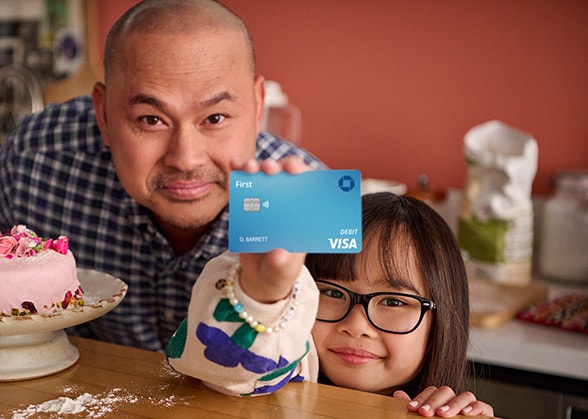
Spend
Parents choose where their child can shop
Kids use their debit card to make purchases at stores and online
Save
Parents teach children about savings goals and track their progress
Kids learn to set goals and manage their money in real-world scenarios
Earn
Parents assign chores and create allowances
Kids track balances and transactions via the Chase Mobile® app
Frequently asked questions
The Basics
Account setup
Get your child started
Earn
Chase First Banking is a banking account for kids ages 6-17 and designed with kids 6-12 in mind, opened by parents, that helps families digitally manage spending and provides opportunities for kids to learn and practice the basics of money management by using a debit card in their name. It can be accessed virtually anywhere with the Chase Mobile® app or on chase.com.
Chase First Banking accounts come with a number of unique features for both parents and kids.
Parents can:
- Choose where and how much their child can spend in stores and online
- Create kids’ allowances
- Assign chores
- Receive activity-related Account Alerts
- Set limits on where and how much their child can spend or withdraw at ATMs
And kids can:
- Use their debit card to make purchases at stores and online
- Track their balances and transactions with the Chase Mobile® app
- Create savings goals
- Withdraw money from ATMs using their Chase First Banking debit card (at participating non-Chase ATMs; fees from Chase and the ATM owner still apply)
- Learn how to manage their money in real-world scenarios
Yes, you need to be a Chase checking customer to open a Chase First Banking account. Chase First Banking accounts must be linked to a qualifying Chase checking account, but your child will not have access to your other Chase accounts.
Qualifying accounts include: Chase Secure Checking℠, Chase Total Checking®, Chase Premier Plus Checking℠, Chase Sapphire℠ Checking and Chase Private Client Checking℠. Benefits offered to these checking accounts do not apply to Chase First Banking accounts.
You can open an account online or schedule a meeting at a Chase branch. If you’re a current Chase customer, you can also use your Chase Mobile® app to open an account today. Need help deciding? Compare our checking account options here.
Chase First Banking is available for kids ages 6-17 and designed with kids ages 6-12 in mind.
To promote parental controls, only the parent/guardian who opened the account can fund or manage it.
Chase customers who have a qualifying checking account can open up to five Chase First Banking accounts per parent/guardian.
There is no Monthly Service Fee for Chase First Banking accounts and Chase won’t charge you any overdraft fees. If your child's final purchase amount is greater than the original authorized amount, for example if your child leaves a tip at a restaurant, the account may become overdrawn.
Chase may charge debit card fees if:
- Replacement debit card shipments are expedited
- Your child uses their debit card at a non-Chase ATM
- Your child makes a purchase or ATM withdrawal in another currency using their debit card
Funds can only be transferred into the Chase First Banking account from the parent/guardian's Chase checking account via the Chase Mobile® app. Cash/check deposits in a Chase branch, at ATMs or direct deposits are not supported with Chase First Banking.
Yes, you can use Chase First Banking debit cards at all of Chase's more than 14,000 ATMs. You can also use them at participating non-Chase ATMs (fees from Chase and the ATM owner still apply).
There is a $100 daily ATM withdrawal limit and a $400 daily purchase limit for Chase First Banking accounts.
No, Chase First Banking does not support peer-to-peer transactions, like those using Zelle®, Venmo®, PayPal® or Cash App™. Additionally, the account’s debit card cannot be added to fund these types of transactions.
Chase High School Checking℠, an account for teens ages 13-17, may be a better option for teens who need access to peer-to-peer transactions. Compare our checking account options here.
You can use Chase First Banking debit cards virtually everywhere Visa debit is accepted, both online and in stores, and at all of Chase’s more than 14,000 ATMs. You can also use them at participating non-Chase ATMs (fees from Chase and the ATM owner still apply).
Yes. Fees may apply for international purchases.
You can call 1-800-935-9935 to speak with a specialist. You can also schedule a meeting with a Chase banker or visit any Chase branch.
If your child is 13-17 years old, consider switching their account to Chase High School Checking℠. With you as the co-owner and no Monthly Service Fees, a High School Checking account will continue to help them build financial independence with features like direct deposit, Zelle® and mobile banking.
If your child is 18 or older, it's time they move into their own checking account. With the right account, they'll continue building their financial independence with features like direct deposit, Zelle® and Chase Credit Journey®. Close the Chase First Banking account and have them open their own checking account. Need help deciding? Compare our checking account options here.
If they do not select another account by the time they turn 25, we will close the Chase First Checking account.
The debit card should arrive in the mail in about a week.
To activate the Chase First Banking debit card visit chase.com/activate, call 1-800-290-3935 or make a transaction at any Chase ATM.
To help protect your child while they learn money management skills, funds can only be transferred into the Chase First Banking account from the parent/guardian's Chase checking account. Chase First Banking accounts do not support cash/check deposits in the branch, at ATMs or through direct deposits.
Through the Chase Mobile® app you can add money to your child's account a couple different ways:
- You can set up a one-time transfer by clicking on the "Chase First Banking" tile on your account dashboard then clicking "Transfer money."
- Create a recurring transfer from your Chase checking account to the Chase First Banking account by clicking on the Chase First Banking tile in your account dashboard, navigate to the "Earn" tab and choose "Allowance." See Earn FAQs for more information.
When you opened the Chase First Banking account, you created a username and password for your child. If you need to reset your child's username and password, use the Chase Mobile® app and click "Forgot username/password?" under the sign-in, next click "Don't know your username?" then click "Don't have a Social Security number?" and input your child's date of birth along with the Chase First Banking account number. Once we confirm the information entered is correct, follow the instructions on the screen to reset their password.
Your child can withdraw money from any Chase ATM for free or at participating non-Chase ATMs (fees from Chase and the ATM owner still apply). The daily withdrawal limit for Chase First Banking is $100. Keep in mind, they'll only be able to take money from their “Spend anywhere” and “ATM” balances.
You can receive Account Alerts for your child's banking activities, such as when they use their debit card or request money. To sign up for Chase First Banking alerts, sign in to your account via the Chase Mobile® app and navigate to the profile icon, click "Manage alerts" and select the Chase First Banking account.
Your child can request money in the Chase Mobile® app or on chase.com. They can select the dollar amount, enter where they want the money to be transferred and leave a note with what they’re requesting money for.
They can access Chase First Banking by signing in to the Chase Mobile® app. You can help them sign in using the username and password you created when you opened the account. This will not give your child access to your other Chase accounts.
We'll help you reset it. Using the Chase Mobile® app, click "Forgot username/password?" under sign-in, next click "Don't know your username?" then click "Don't have a Social Security number?" and input your child's date of birth and the Chase First Banking account number. Once we confirm the information is correct, follow the instructions to reset their password.
Eligibility to use digital wallets like Apple Pay, Google Wallet and Samsung Pay is dependent upon the terms and conditions outlined by your child's digital wallet provider. If your child does not meet the eligibility of their digital wallet provider, you can add your child's debit card to your digital wallet to help them make purchases without their physical card.
You can assign chores with your Chase First Banking account in the Chase Mobile® app. Just create a name and description for the chore and—if you want—a reward amount for your child. Because payment for a chore is not sent automatically, you can check that the chore was completed first. Additionally, you can sign up for an alert to be notified when the chore has been completed. Sign in to your account in the Chase Mobile® app, tap your profile icon and select “Manage alerts,” then tap your child’s Chase First Banking account and “Chore completed.”
To schedule a one-time payment, use “Transfer money” instead.