
Link your accounts securely
Control what you share, with whom and for how long.
Our advanced technology helps keep your accounts safe
Many of you want to link your Chase accounts to apps or websites to send money to family and friends; to make payments; or to get help with budgeting, accounting and tax preparation.
We use best-in-class technology to link apps to your Chase accounts, so you can share your data securely. When you set up a new link, you should see a secure Chase window with https://secure.chase.com to log directly into Chase without sharing your username and password with anyone else!
How it works

1. Help keep your info safe
When you link with an app or website, you’ll sign in directly with Chase first. This way, the app or website will never see your Chase username or password.

2. Choose which accounts to link
Once signed in, we show you the data we'll share, so you can make an informed choice. You could decide to link your checking account, but not your savings account.

3. Unlink whenever you want
Review and remove access for specific apps or websites anytime you like by going to "Linked apps" in Security & Privacy Center at chase.com or in the Chase Mobile® app.
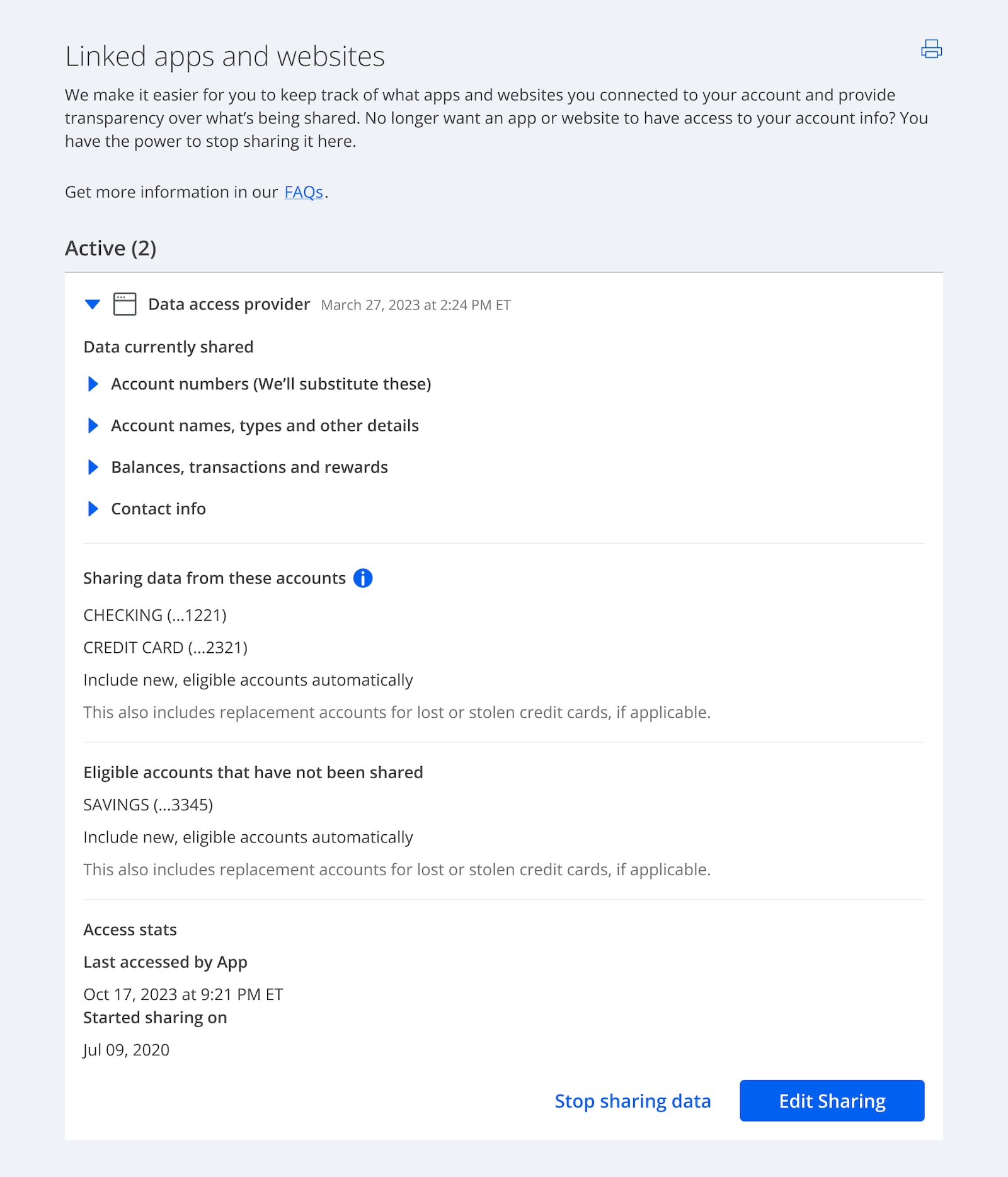
See where you're sharing data
"Linked apps" shows you which accounts you’ve given apps or companies permission to access. You can remove access at any time.
In the Chase Mobile® app, go to Profile & Settings, then choose Settings. There, you’ll find Security Center, which will show your linked apps and websites.
On chase.com, sign in and go to “Security & privacy” to find “Linked apps and websites.”
Frequently asked questions
When you decide to share your Chase account information with an app or website, we work to make it safe. If apps don’t support customers’ ability to securely access their financial data and provide full control and visibility in sharing it securely with the apps they choose, they won’t be able to link to your account.
Data access providers help other companies easily link and transfer data from financial institutions. When you agree to link your accounts with an app through our secure API, we let you know if a data access provider is involved.
When you agree to link account numbers with an app, we won't share your actual account or routing number. Instead—when necessary to allow transactions from eligible checking and savings accounts—we'll share a "substitute account number."
This is a different account number that replaces your actual account number in each transaction to keep your details safe. Apps can use these substitute account numbers for same-day or scheduled transactions as long as you continue to authorize it.
For your security, you can unlink your account from an app to prevent the substitute account number from being used for new transactions.
We encourage you to review the terms and conditions and privacy policies of any app, website or data access provider you link with to understand how they intend to use your data.
We always want you to know what it is you're sharing. Each app requires different data to support the service they provide, and you may not want to link the same accounts with every app.
There could be several reasons you’re asked to give permission more than once. Sometimes companies introduce new features or make changes that require access to more of your data, and we won't provide that without your approval. Some companies only need access for a certain time period and require you to relink later.