
Life gets busy. Your assistant can help.
For quick answers on your personal Chase bank accounts, credit cards, loans and J.P. Morgan Investment accounts, the Chase Digital Assistant℠ is always ready to help
Ask your assistant to do things like:
- Check your account balance
- Get your account or routing numbers
- Replace, lock or unlock your credit and debit cards
- Transfer money or pay bills
- See your investment watchlists
Or type “what can you do?” to see all the ways the assistant can help
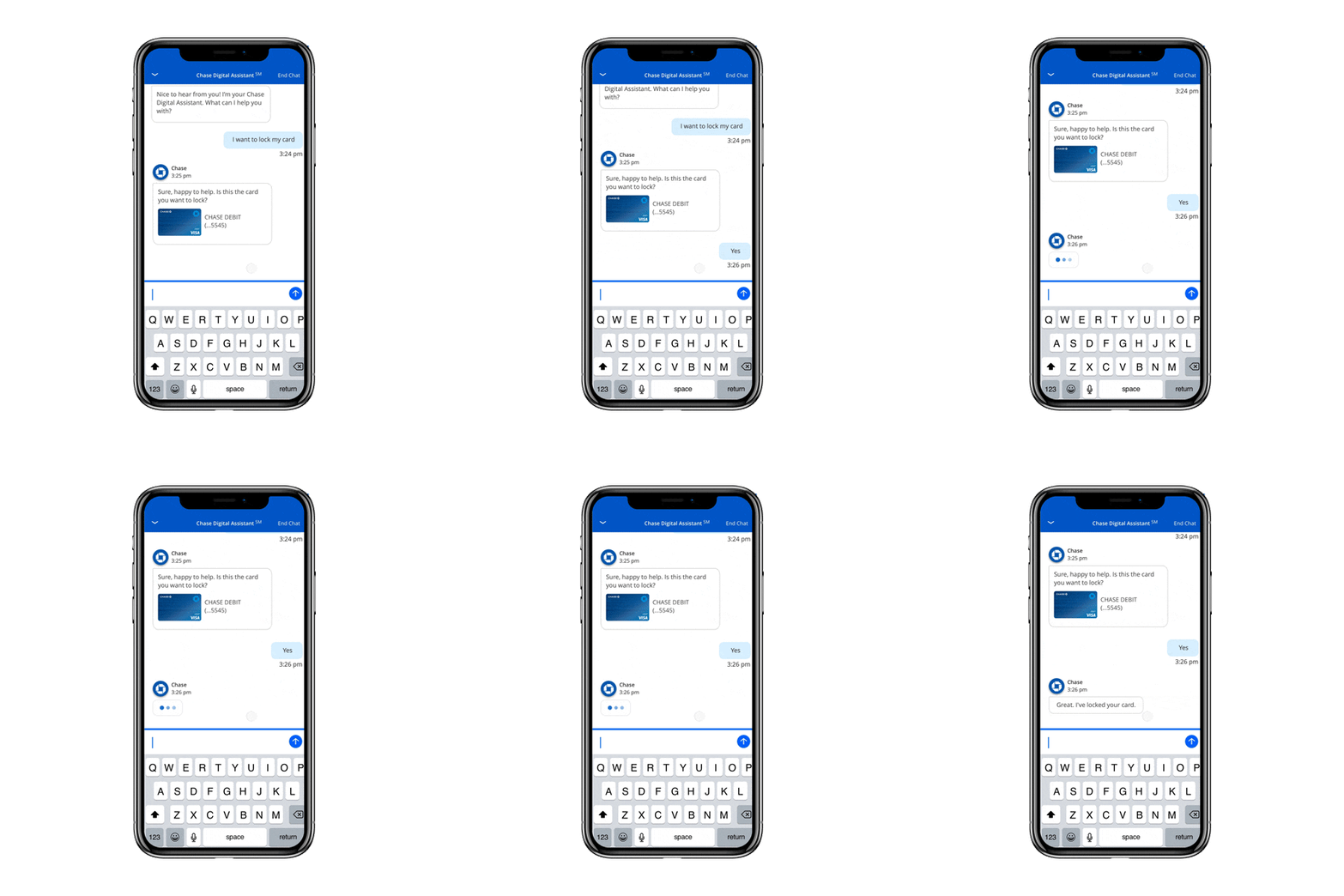
Get the information you need
Your Chase Digital Assistant is ready and waiting in the Chase Mobile app.

1. Sign in
Sign in to the Chase Mobile app.

2. Tap
Tap the Chase Digital Assistant icon.

3. Ask
Ask a question or let it know what you'd like to do.
It's easy to get the app
It takes just a few taps to master the Chase Mobile app and start managing your credit card and bank accounts the same way you do at chase.com. Just download it on your mobile device and use your same chase.com sign-in.


Frequently asked questions
The Chase Digital Assistant is a virtual assistant available in the Chase Mobile® app to help you make the most of your money by answering questions, providing information, and completing simple tasks.
Sign in to the Chase Mobile app and you’ll see the Chase Digital Assistant icon in the upper left corner of the screen. Tap the icon to bring up a chat window and type questions in your words. The Chase Digital Assistant will respond with answers, ask you for more information, or show you where in the app you can take care of what you need.
The Chase Digital Assistant services Chase customers who have personal bank accounts (e.g. checking, savings), credit cards, auto and home loans, and J.P. Morgan investment accounts. Right now, the assistant can help with self-directed accounts and accounts opened in a Chase branch and serviced by a J.P. Morgan advisor.
Make sure your Chase Mobile app is up to date. The assistant does not currently service Private Bank and Business Banking customers or customers with both personal and business accounts.
Here are just a few examples:
- Lock, unlock or replace credit and debit cards
- Get account balances
- Find account and routing numbers
- Quickly navigate to the place in the app to manage accounts, pay bills and people, and see investment-related watchlists or transfer of securities.
Yes. The Chase Digital Assistant is only available in the Chase Mobile app (versions 4.1 and above) and is available on iOS and Android.
You’ll get the same confirmations you receive today for eligible transactions conducted in the Chase Mobile app.
The Chase Digital Assistant is always learning new things. If it can’t answer your question now, it may provide a phone number for you to get additional help or ask you to check back later.
Currently, the Chase Digital Assistant is only available in English.
Not at this time.