How to protect your privacy when you sell or trade in a car

Quick insights
- Your car may store more personal data than you realize, including contact information, navigation history and synced devices.
- Taking steps to clear your car’s data and delete your phone from your car before selling it helps protect your privacy.
- Don’t forget to cancel your insurance and registration to avoid liability after you sell your car.
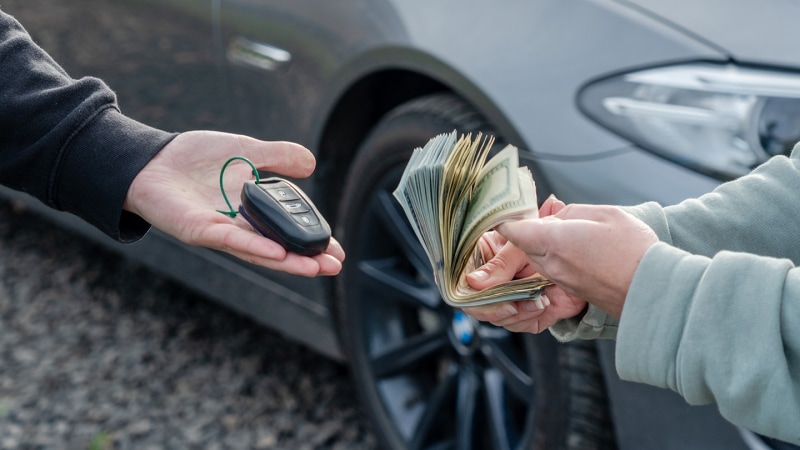
Handing over your car keys shouldn’t mean handing over your life story. Modern cars remember more about us than we think. If you’re planning to upgrade your ride, learning how to protect yourself when selling a car is just as important as negotiating your next auto loan.
What personal data is stored in your car?
Today’s vehicles do much more than get you from point A to point B—they’re rolling computers that collect information every time you drive. If you’ve connected your phone or used navigation, your car has likely stored sensitive details that could be accessed by the next owner.
When you sync your phone, your car may store contact lists, including names, phone numbers and email addresses. This information often remains in the vehicle's internal memory even after the Bluetooth connection is severed. Similarly, navigation history typically saves previous destinations and frequent stops in the onboard GPS system, providing a digital map of your daily routines.
Many cars also keep a record of call and text logs, creating a metadata profile of your most recent communications. Beyond communication, integrated garage door openers may remember your home access codes.
Steps to clear your car data before selling or trading in
Whether you’re selling to a dealer or a private buyer, it’s important to clear your car’s data to protect your privacy. Here’s a checklist to guide you:
- Unpair all devices: Go to your car’s Bluetooth settings and remove all connected phones and tablets. This prevents the vehicle from attempting to resync or access your device if you happen to be near the car after the sale.
- Delete phone from car: Delete your phone profile from the car’s system to specifically erase call logs, contacts and text history. This may require a separate step from unpairing and is necessary to wipe the physical data stored on system’s memory.
- Reset navigation data: Clear saved addresses, recent destinations and favorite locations from your navigation system. Manually clearing "Home" and "Work" presets is vital, as these are the most sensitive locations linked to your identity.
- Log out of apps: Sign out of any apps you’ve used on the infotainment system and delete associated accounts if possible. Some vehicle systems use persistent tokens that keep you logged in even after the ignition is turned off.
- Factory reset: Many vehicles allow you to perform a full factory reset through the settings menu, which erases all stored data at once. This is generally the most efficient and comprehensive way to return the software to its original factory settings.
- Consult the owner’s manual: Every vehicle is different. Review your manual for detailed data-wiping instructions, as some models require specific button sequences to clear encrypted partitions.
Additional privacy steps before you sell car as-is
Taking a few extra precautions can make the process even safer when you sell your car as-is.
- Remove garage door openers: Take out any remote openers from the visor or erase codes from integrated systems to protect your home. Physical clickers are often overlooked and grant immediate access to your property if left behind.
- Take out personal items: Double-check all compartments, under seats and in the trunk for paperwork or valuables. Be sure to check hidden spots like the spare tire well where old mail or receipts might have slipped.
- Wipe dashcam or camera storage: If your vehicle has built-in cameras or dashcams, clear any stored footage or remove the memory cards entirely. This prevents the new owner from viewing footage of your driveway or frequently traveled routes.
- Check service and maintenance records: Remove documents that contain your name, address or other personal information. If you provide receipts to prove service history, use a heavy marker to redact your home address and credit card numbers.
- Verify data removal with the buyer: Ask the dealer or buyer to confirm that a professional factory reset will be performed if you’re unsure how to do it yourself. Having a verbal or written confirmation provides an extra layer of accountability.
Don’t forget: Cancel insurance and registration
It can be easy to overlook administrative details in the excitement of selling your vehicle. But keeping your insurance and registration active after the sale can expose you to liability if the new owner is involved in an accident or suspicious activity.
Contact your insurer to cancel or transfer your policy and notify your state’s Department of Motor Vehicles (DMV) to officially remove your name from the registration. This will help ensure you’re not held responsible for anything that happens after you let your car go.
Should you sell car as is or trade it in?
Deciding whether to sell privately or trade in at a dealership depends on your priorities. Each option comes with unique privacy and financial considerations.
- Private sale: You may get a higher price by selling directly to an individual but you will need to handle all data removal and legal paperwork yourself.
- Trade-in: Dealerships are often familiar with privacy protocols and data wiping, but you should still double-check that your personal information is cleared before leaving the lot.
- As-is sales: Selling “as-is” can speed up the process, but it does not change your legal responsibility to clear your car data and protect your identity.
- Loan payoff: If you have an auto loan, confirm the payoff amount and the specific lien release process with your lender before completing the transaction.
- Documentation: Keep physical or digital records of the sale, including a signed bill of sale and confirmation of data removal, for added peace of mind.
The bottom line
Taking the time to protect yourself when selling a car means more than just getting paid. Today’s vehicles store a surprising amount of personal data, so be proactive—clear your car data and delete your phone from your car before handing over the keys. Wrap up the sale by making sure to cancel your insurance and registration to fully protect your privacy and finances.