
Use your available credit when and how you want
Move your credit line between cards
Get more flexibility when you want it by moving credit from one Chase credit card to another. Your new credit limit is available for use
right away.

Fast and simple
Sign in to your account and choose the cards and amount to move.

Built-in feature
You have automatic access because you already have the credit and there are no fees.

No credit check
There's no application or credit check.

Why move credit to a different card?
- You can maximize rewards on a card you use more.
- You'll get more flexibility for large or unexpected expenses.
- You'll make the most of the spending limits on the cards you use most.
Here's how it works
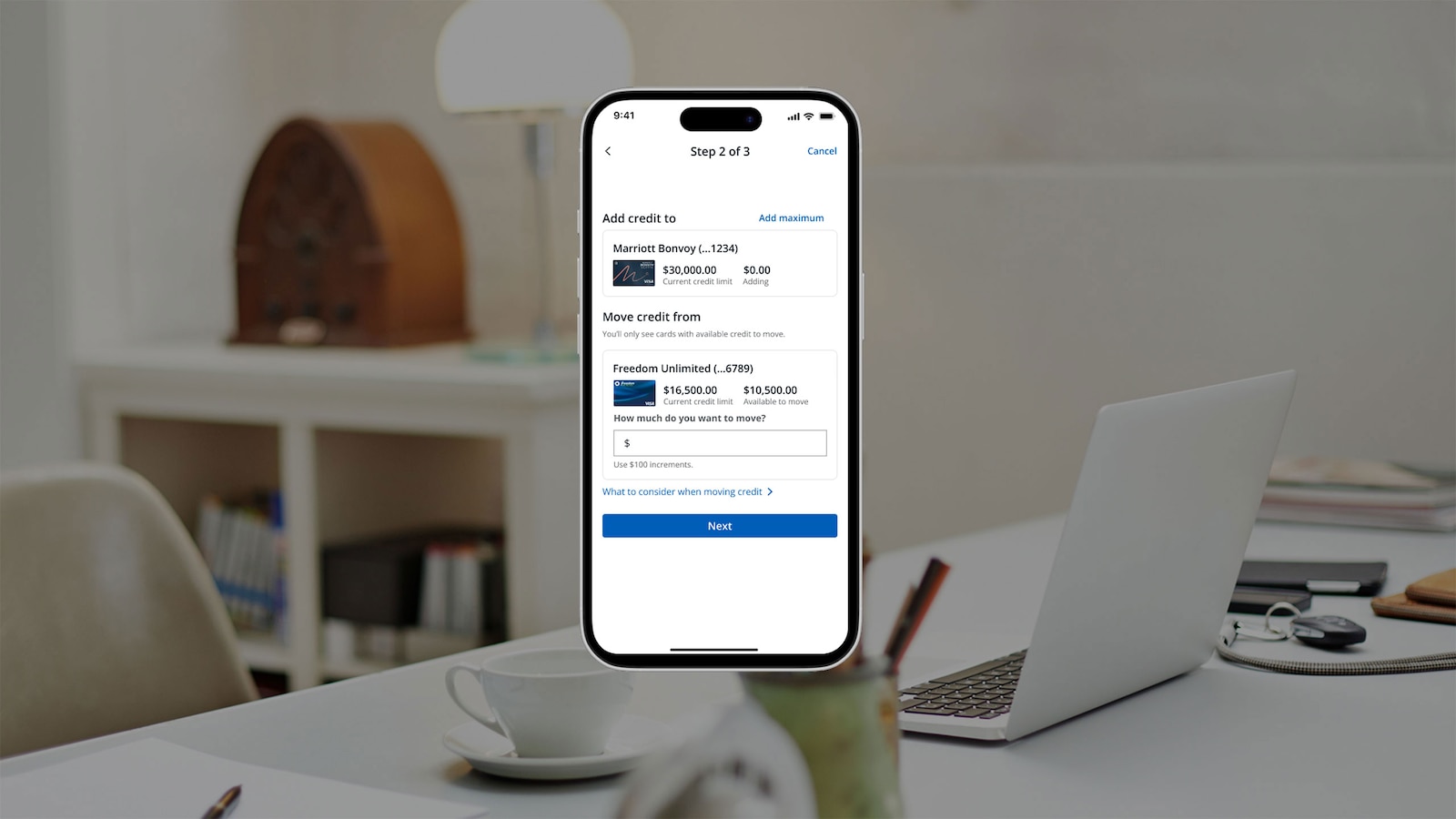
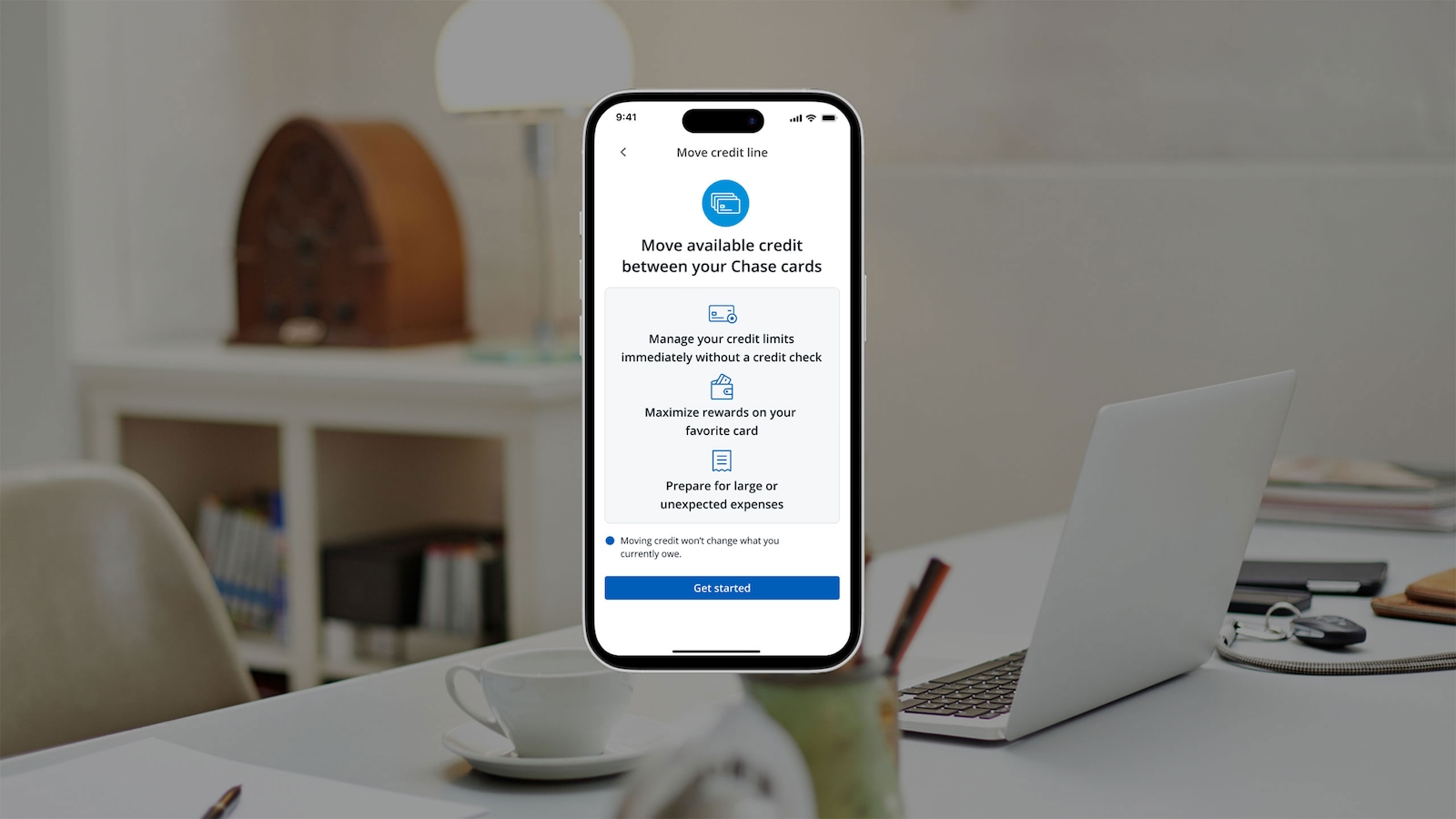
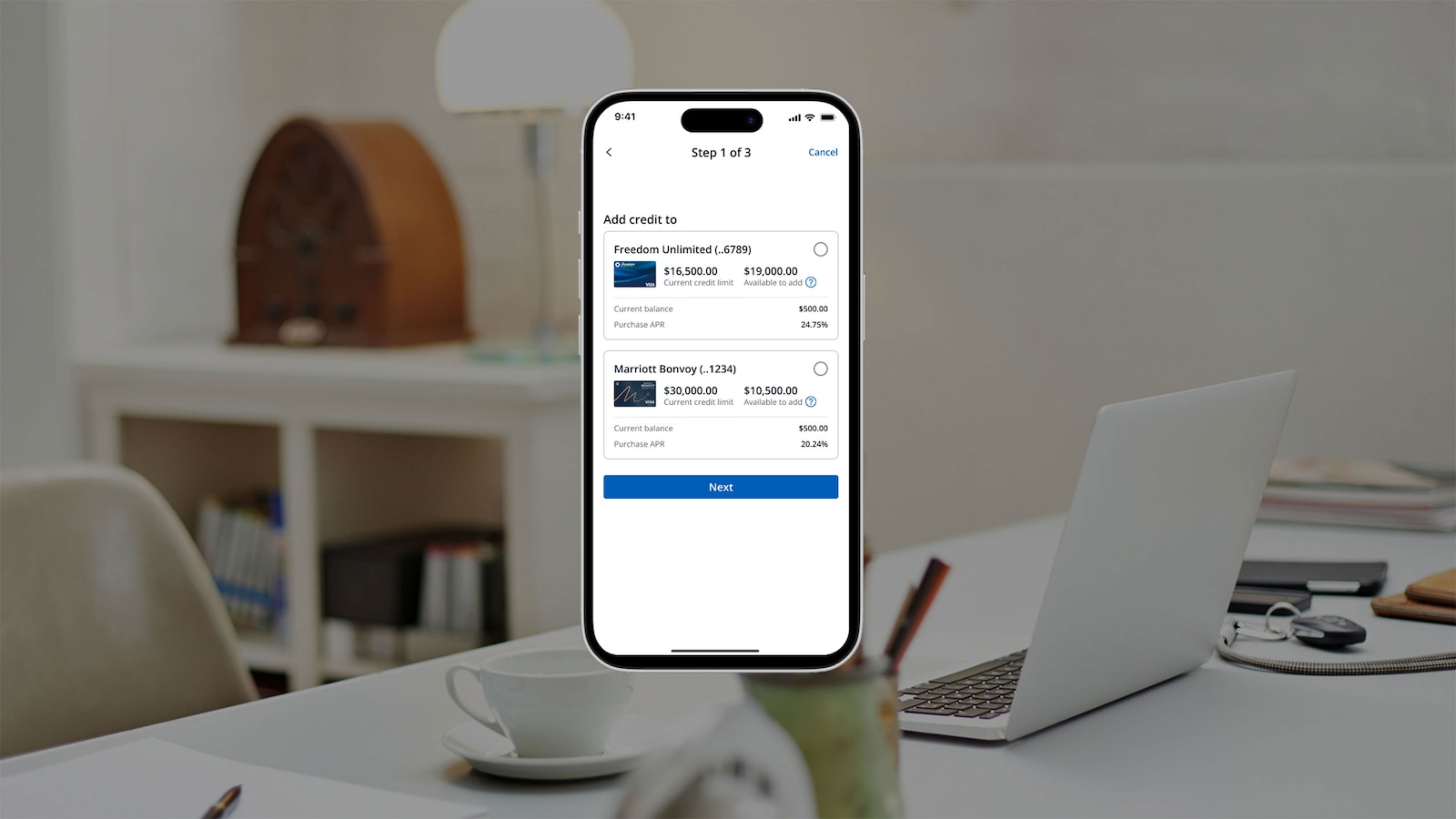
1. Go to chase.com or use the Chase Mobile® app to access your accounts.
Illustrative example only
Frequently asked questions
This is a digital functionality to move available credit line from one Chase personal card to another or one Chase business card to another.
Credit line exchanges are only allowed between cards of the same type. You can move line between business cards or between personal cards, but not between personal and business cards.
This feature enables you to achieve the right borrowing power from spend capacity, to loyalty program preference. Moving available credit line will allow you to customize your card experience.
Any customer who has two or more personal cards or two or more business cards with available line to move with respect to card minimums.
Moving available credit can only be completed between accounts owned by the same Authorizing Officer within the same business account. Online credit line transfers can be done between business cards that allow revolving credit. For moving available credit between revolve to pay-in-full cards, please contact the number on the back of your card.
Some cards may not be eligible to move available credit due to card minimum requirements. For example, if you've recently opened a new card within the last 12 months or have a promotional offer, you will not be able to move available line from that card. You also cannot move line from a business card to a personal card and vice versa.
Move available credit in only three steps; select which card you wish to move credit to, select the amount you wish to move, and confirm your line updates.
In most cases, immediate but it could take up to 24 hours for your account to reflect the updated lines.
No.
No.
Lines can be moved in $100 increments. The experience will notify you of the maximum amount you can move.
No, moving your available credit does not impact your existing APR.
Three times per month.
Yes, pending transactions are included in the total available line amount shown in the experience.