ICT250 — Communication error
This error occurs when the payment terminal is unable to establish a connection with the payment network. Learn how to troubleshoot communication errors.
Your device may be a different color, instructions are still applicable; Videos are coming soon.
Communication error
- Confirm that date and time in the terminal is correct. Please see instructions for Date and Time:
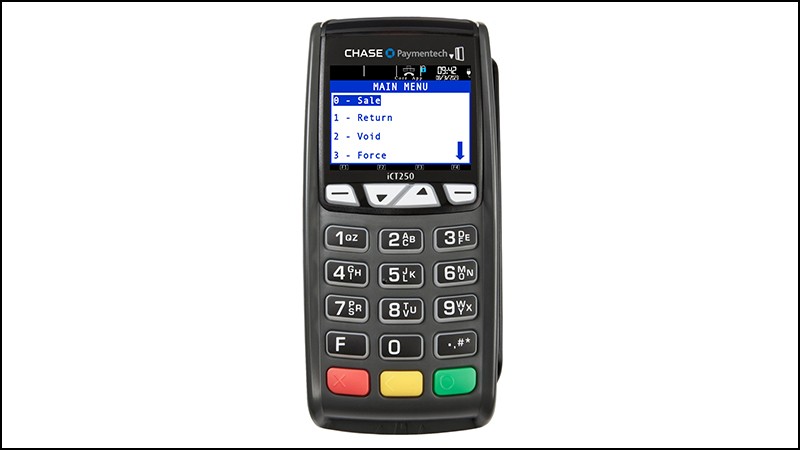
- From the Idle Menu, press the pound button [#] to access the Admin Menu.
- Press [3] for Setup Menu.
- Enter manager password then press the green [Enter] key.
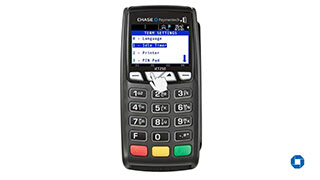
- From the Setup Menu, press [6] for Term Settings.
- Press [8] to Set Date and Time.
- Enter admin password and press the green [Enter] key.
- To enter date – Press the yellow [Correction] key then enter the correct date using DD-MM-YY format and press the green [Enter] key to continue.
- To enter the time – Press the yellow [Correction] key then enter the correct time using HH-MM format and press the green [Enter] key to continue.
- Process a test sale after to determine if terminal can communicate with the network.
- If connection isn't established – Proceed to the next step.
- Restart/reboot the terminal
- Press the pound button [#] and yellow [Correction] key at the same time for 5 seconds.
- Screen will display a black screen and the terminal will reboot.
- If wireless connection isn't established – Proceed to the next step. Terminal will go back to the home screen with the Chase logo.
- Review connection
- If connected via phone line:
- Confirm phone cord is plugged into correct port on Magic Box and wall jack.
- Determine if phone line has call waiting enabled, or other equipment on line, and make sure they are disconnected or disabled.
- Remove phone cord from Magic Box, and plug it into normal telephone. Listen to hear if there's dial tone or low dial tone:
- No dial tone – Merchant must contact phone company.
- Dial tone stutters (goes on/off a few times then settles down to normal tone) – Have merchant check their voice messages. Turn off Dial Tone Check to prevent future errors.
- Check for dial tone.
- If noise or static on line – Replace phone cord. Contact phone company if unresolved.
- Move terminal to another phone line nearby (e.g. fax line) and reattempt failed action.
- If connected via Ethernet:
- Perform ping test on terminal. From the Idle Menu, press the pound button [#] to access the Admin Menu.
- Press [5] for Diagnostics.
- Press [1] to Ping.
- Enter the desired IP address. For example, to ping www.google.com, type 74.125.134.99 for the IP address. (Use the pound button [#] to enter a dot) and press the green [Enter] key.
- The terminal will display PING OK if the ping test passed or PING FAILED if the ping test failed.
- If connected via phone line:
If connection isn't established – Reach out to your service provider to determine issues with network connection.