
Welcome to Chase QuickAccept®,
Congratulations, you're enrolled in QuickAccept and ready to accept card payments anywhere in the U.S. Follow the steps below to complete your account setup and start taking payments today.
IF YOU NEED TO ENROLL IN QUICKACCEPT, START NOW.
Here's how to set up QuickAccept
Start by downloading the Chase Point of Sale (POS)℠ app, then finish the rest online.
 , Opens overlay
  , Opens overlay
1. Download and set up the Chase POS app
You can use the app to take payments in multiple ways. Activate Tap to Pay on iPhone to accept contactless payments — no extra hardware needed.
- To set up the app, tap "Sign in" and enter your Chase business banking username and password.
- Choose the merchant account you want to link to the app and assign it a name. Wait a few moments while the app updates.
- Follow the prompts to customize your settings, including tips, sales tax rate and receipt preferences.
- Pair your card reader, if you have one (optional).
2. Sign in to complete your setup online
- Go to Chase Business Online and sign in with your business banking username and password.
- Navigate to Access & Security Manager and set up individual credentials for your employees to allow them to accept payments without accessing your checking account details.
- Set up your product catalog to organize your offerings and include current product details.
- Generate unique payment links to share with customers, so you can easily receive payments with no extra hardware needed.
- Go to "Collect and deposit", find the "Get paid" section, and select "Get started" under "Create an invoice" to create and manage invoices.
3. Order devices if you need them
Keep your business running smoothly by accepting credit cards in store, curbside or on the go with our payment devices.
Here's how to order hardware from your smartphone with the Chase POS app.
- Tap "More" on the bottom right screen.
- Select "Order Hardware".
- Tap "Shop Now".
- Pick the device you want.
- Set the quantity and tap "Add to Cart".
- Tap "View Cart" and follow the prompts to check out.
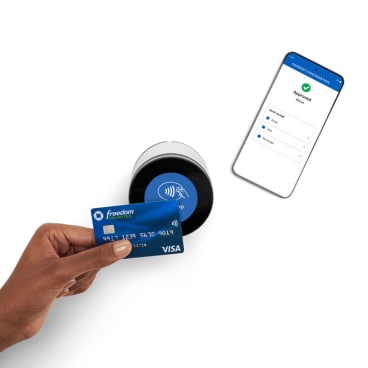
Chase Card Reader®
Pair it with the Chase POS app to take card payments where your customers are. You'll benefit from the bright LCD display and can process up to 120 transactions per charge.
For help with setup, start here.
Freedom card used for illustrative purposes.
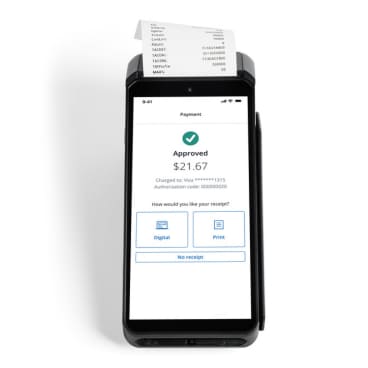
Chase POS Terminal
Make sales easy for you and your customers with our simple, Wi-Fi-enabled device that you can take anywhere.
For help with setup, start here.
4. You did it ― your business can now accept payments
Start accepting card payments quickly — anytime, anywhere in the U.S. — and get paid wherever you do business.

Find more answers you need
Visit the Chase Payment Solutions® Support Center for FAQs, guides and troubleshooting.