
Business Checking with Chase
More small business owners choose Chase than any other bank
Chase Business Complete Banking®
$15 or $0 Monthly Service Fee
A small business checking account that covers the essentials, plus built-in card acceptance.
- Waive the Monthly Service Fee if you achieve $2,000 of minimum daily balance, deposits from Chase QuickAccept®, or Chase for Business credit card purchases
- Built-in invoicing so you can easily create digital professional-looking invoices using Chase Business Online or the Chase Mobile® app and send via text or email
- Debit card purchases, up to 20 checks and deposits and withdrawals made with a banker, and $5,000 of in-branch cash deposits at no additional charge every statement cycle (fees may apply to additional transactions or deposits, or purchases made in a currency other than U.S. dollars)
- No additional charge for deposits made at a Chase ATM
- Monthly Service Fee waiver on one Chase Business Total Savings℠ account
Chase Performance Business Checking®
$40 or $0 Monthly Service Fee
A flexible account that can help give mid-sized businesses a competitive edge.
- Waive the Monthly Service Fee if you maintain a $35,000 combined average beginning day balance
- Up to 250 debits and deposits made with a banker and $20,000 of cash deposits made in-branch at no additional charge (fees may apply to additional debits and deposits, or purchases made in a currency other than U.S. dollars)
- No additional charge for deposits made at a Chase ATM
- Accept credit and debit cards at the counter, on the go or online with Chase Payments Solutions®
- Monthly Service Fee waiver on up to eight Chase Business Premier Savings℠ accounts and one Chase Total Checking® account
Chase Platinum Business Checking℠
$95 or $0 Monthly Service Fee
Designed for bigger businesses with greater monthly transactions and cash management needs.
- Waive the Monthly Service Fee if you maintain an average beginning day balance of $100,000 or more per statement period ($50,000 when linked to Chase Private Client Checking, JPMorgan Classic Checking, or Private Client Checking Plus.)
- Up to 500 debits and deposits made with a banker and $25,000 of cash deposits made in-branch at no additional charge (fees may apply to additional debits and deposits, or purchases made in a currency other than U.S. dollars)
- No additional charge for deposits made at a Chase ATM
- Accept credit and debit cards at the counter, on the go or online with Chase Payments Solutions
- Monthly Service Fee waiver on up to eight Chase Business Premier Savings℠ accounts and one Chase Premier Plus Checking® account

NEW BUSINESS CUSTOMERS
Earn $3,000
when you open a new Chase Platinum Business Checking℠ account with qualifying activities.
- Deposit external funds of $300,000 or more directly into your new checking account within 60 days of offer enrollment.
- Then, maintain at least a $300,000 balance in your new checking account for 180 days from offer enrollment.
Account must be opened and enrolled between 7/6/2026 and 10/1/2026
Checking features to help your business thrive
Every Chase business checking account offers:
- Chase Business OnlineSM and Online Bill Pay
- Chase Mobile® Banking
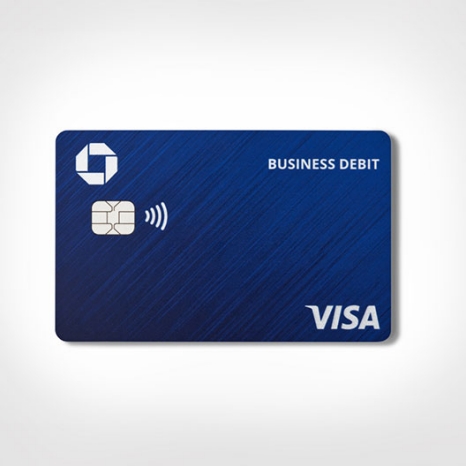
- Chase debit card with chip
- Associate Debit and Employee Deposit Cards available upon request
- Chase business savings account Monthly Service Fee waived when linked to an eligible Chase business checking account
- Access to more than 14,000 ATMs and 5,000 branches
Explore account details
Chase Business Complete Banking®
Chase Performance Business Checking®
Chase Platinum Business Checking℠
Get ready to open an account
Find out how to apply and which documents you'll need.
Frequently asked questions
A business checking account might be the best option for small businesses. Business checking accounts let you manage your business funds, build your business credit score and separate business and personal assets.
Personal accounts are typically used for your personal income and bills. They typically have lower deposit limits and are intended for different transaction types. Separating accounts may also make bookkeeping and tax prep easier.
Learn more about how to keep your business and personal expenses separate.
When choosing a business checking account, consider things like:
- Multiple branch locations — this may be best for you if you travel or want a close-by branch.
- Account features — like remote deposit options and the ability to accept payments.
- Prerequisites — minimum balance requirements that make sense for your cash flow.
- Mobile and online banking — the experience should be easy and help you bank almost anywhere.
- Credit cards and financing — a bank that offers these options can be beneficial.
- Fraud protection — to help you safeguard your business by reducing your exposure to fraud
You can open a business checking account online or at a branch near you. Learn more about opening a Chase Business checking account.
Generally, business owners may need to provide information on their business and documentation.
To apply for a Chase business checking account, what you need might depend on how you apply and what type of business you own.
If you apply online, you may need to provide:
Ownership info
If your business has owners other than yourself, we’ll need you to provide the following info for each owner who owns 10% or more of the business:
- Legal name
- Address
- Date of birth
- Tax identification number, Social Security number, TIN or EIN
- Country of citizenship
- Ownership percentage
Other documents
We may ask you to upload certain documents to help us verify your business. In case we do, please have digital copies of the following on hand:
- Legal documents(s) establishing your business (e.g., Articles of Organization, Certificate of Formation) including legal business name, state of registration and registration date
- Doing Business As (DBA) Certificate, if your business operates under a name other than its legal name.
Only privately held businesses with the following structures can apply for a Chase business checking account online:
- Sole proprietorships
- Corporations
- Limited liability companies (LLCs) managed by a single member or manager
Have a different business type? Visit a branch near you and we'll help you out. Please refer to our branch locator to find availability info about Chase branches near you.
To apply in a branch you might need to bring the following documents with you:
- Two forms of personal identification (one that’s government issued).
- Your tax identification number – either a Social Security number, TIN or EIN.
- Legal documentation establishing your business (e.g., Articles of Organization, Certificate of Formation)including legal business name, state of registration and registration date.
- Your Doing Business As (DBA) Certificate, if your business operates under a name other than its legal name.
Please see our checklist for complete requirements by business type. Once you’re ready, you can visit a branch near you.
Once your business banking account is open and funded, you can set it up. Start by downloading the mobile app and signing up or logging in to the online banking platform.
Then, connect your new bank account to your business accounting software and any other relevant business tools.
Lastly, add authorized users, set appropriate permissions and alerts, and establish recurring payments from your new business account.
If you recently opened a Chase business banking account, learn how to set it up here.