
VIRTUAL TERMINAL & INVOICING SOLUTIONS Accept remote payments by phone or invoice
Accept payments in many ways, like with manual key entry or over the phone. You can also set up recurring billing or create and send digital invoices.
Existing Chase Business Complete Banking® customers: get started faster.

To sign up for Chase Payment Solutions®, reach out to a Payments Advisor at 1-877-843-5690 or fill out this short form.
Unparalleled value from payments and banking in one place
Fast access to funds
Improve cash flow with deposits as soon as same day at no extra cost when you use a Chase business checking account.
Sell with confidence
Advanced fraud detection and secure customer data help protect every transaction.
Customer support
Self-service is accessible anytime in the Support Center.
Payment processing: Built in to your Chase Business Complete Banking account
Process remote payments right away from your account dashboard and enjoy deposits as soon as same day at no extra cost.
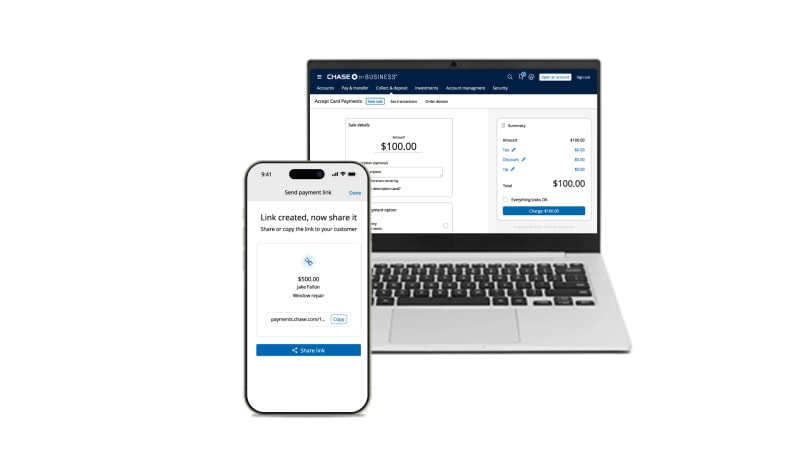
Three ways to take payments on Chase Mobile® app and Chase Business Online

Payment links

Text or e-mail a payment link to make it easy for your customers to click and pay.
Manual key entry

Manually enter customer card details into your built-in virtual terminal.
New to Chase Business Complete Banking?
Let’s find the best products and pricing options for your business. Reach out to a Payments Advisor at 1-877-843-5690 or fill out this short form.
Manage remote payments and recurring billing with Authorize.net® virtual terminal
Process remote credit card payments or set up recurring billing with Authorize.net, with deposits available as soon as next business day at no additional cost.
FLEXIBLE PAYMENT ACCEPTANCE
Accept card payments remotely in a variety of ways

This browser-based terminal lets you take phone orders or manually enter credit card information to process customer payments.
CUSTOM INVOICING AND BILLING
Get paid with digital invoices and recurring billing

Email customers digital invoices or set up automated billing for subscriptions or repeat customers for fast, hassle-free ways to collect payments.
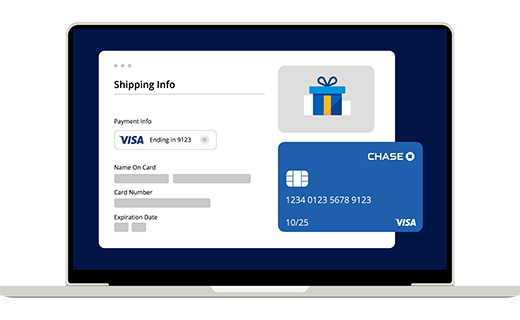

Get started with Chase Payment Solutions
Reach out to a Payments Advisor — call
1-877-843-5690 or fill out this short form.
“We use Chase Bank’s credit card payment partner, Authorize.net. The switch from our previous provider involved a lot of complexities, but Chase worked though all of these details to bring us the overall solution we needed.”
Chip Meyer
General Manager, Renner USA
Customers were told in advance they may be featured in an ad.
Get more when you process payments with Chase
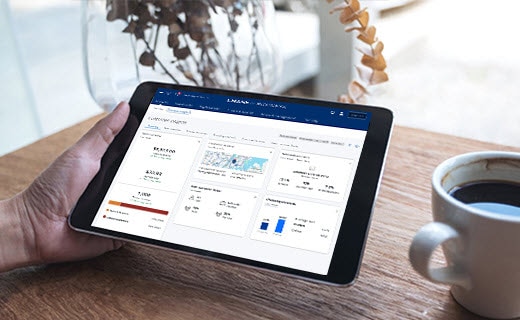
GROW AND OPTIMIZE YOUR BUSINESS Chase Customer Insights
A proprietary business intelligence platform with analytics you can use to better reach customers and manage your bottom line. Available when you use Chase Payment Solutions for credit card processing.
EASILY PAY YOUR TEAM Chase Payroll
Enjoy simplified payroll embedded in Chase Business Online, powered by Gusto — freeing you to focus on your business.
SIMPLIFY YOUR BOOKKEEPING Chase + QuickBooks® Online 
Sync your card sales processed with Chase directly to QuickBooks.
Let’s find the best products and pricing options for your business
Reach out to a Payments Advisor — call
1-877-843-5690 or fill out this short form.
Frequently asked questions
A virtual terminal is a browser-based application that turns a computer or laptop into a payment terminal that can accept credit and debit cards for payments made by phone, invoice or recurring billing.
A virtual terminal is for remote or online transactions. Use it when the customer is not making a payment at the place of business but instead submitting their payment by phone or through an online form. This differs from a point-of-sale (POS) system, which integrates software and hardware to collect in-person payments; customers insert, swipe or tap their card at your business location.
A virtual terminal is a safe and secure method of collecting remote or recurring payments from your computer. It stores and manages customer data on secure servers, backed by advanced fraud protection and Payment Card Industry Data Security Standard (PCI-DSS) compliance.
You don’t need additional hardware or software. To access Authorize.net, speak with our expert Payment Advisors at 1-877-843-5690 or fill out this short form.
Some merchants, like subscription services, need customizable invoices. The Authorize.net virtual terminal allows you to add personalized discounts to invoices, for instance, and set up recurring billing or repeat orders. Setup for the virtual terminal is designed to be simple, with minimal integration required.
Authorize.net virtual terminal accepts credit and debit cards and eChecks.
Authorize.net virtual terminal provides intuitive reporting but you can also integrate with third-party apps to sync sales, for instance, and data, allowing you to simplify your bookkeeping.
Orbital® Virtual Terminal is an online payment tool from Chase that lets you process credit card transactions and supports Level 2 and Level 3 data for enhanced B2B payment details. To sign up, reach out to a Payments Advisor at 1-877-843-5690 or fill out this short form.
To get started, speak with our expert Payment Advisors at 1-877-843-5690 or fill out this short form.
Need help with Chase invoicing and virtual terminal?
Find the answers you need and get 24/7 merchant support.